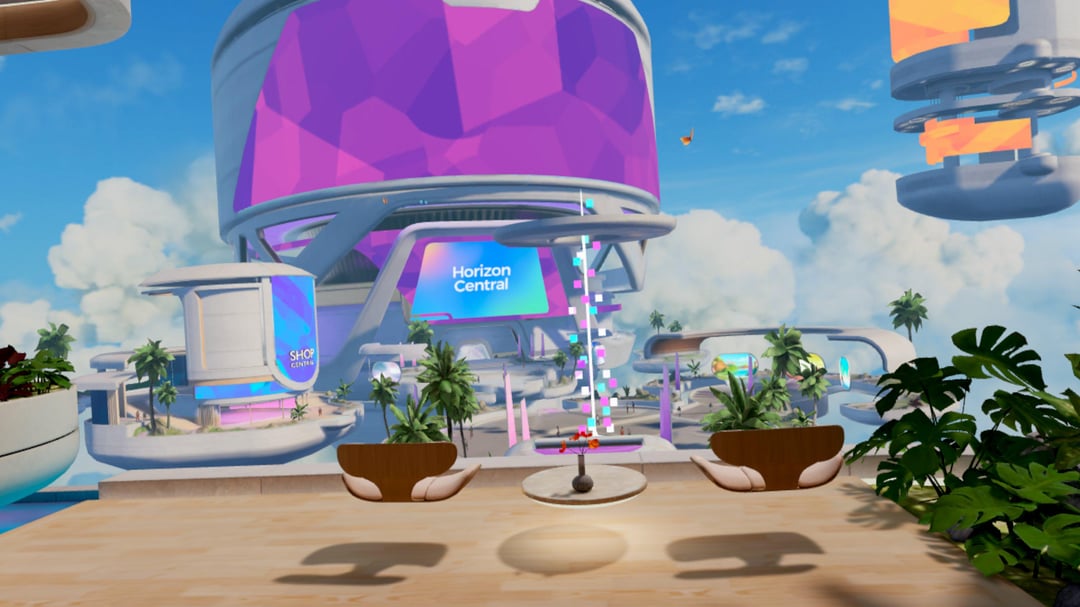
Horizon Central Homelast updated Monday, 9th November 2026
I made this Meta Quest mod originaly as a personal project because I really wanted to get the Horizon Central back as I was extremely dissapointed when they removed it, and it was also a good opportunity to learn more about how Horizon OS works and, to my excitment and surprise, I was actually sucessful and was able to restore the home enviroment after spending an entire weekend messing with APK editors, extractors and ADB terminals on my laptop but eventually got it working, by patching the central APK and overwriting it to the Valley package name. It was really great to have it back personally but I also decided to post it online in case anyone else wanted to get it back.
How to setup
Installing the mod is easy, quick (takes under 5 mins) and can be done entirely from the headset
1. If you havent already, setup developer mode on your headset, then go to the headset browser, navigate to this page you are currently reading, and press download patched apk.
2. Use a tool such as lightning launcher (to access system settings), ADB, or an app manager such as skit, to uninstall the preinstalled APK named "com.meta.shell.env.vista.calming"
3. Open the Quest file manager, find the patched APK file you downloaded earlier, press the dropdown menu icon next to it, press open with, then press package manager and press install (you may need to grant permissions to install apps)
4. You may see a system popup asking to restore "Valley" to the official Horizon store version, do not press restore, just close, it wont show up again and doesn't affect anything.
5. Restart the headset and enter Loft. Congratulations! You should now have the beautiful Horizon central home view.